1. Create an Installer Analytics account
The first step is to sign up for an Installer Analytics account.
- Sign up to Installer Analytics ›
- Get 2 months of free analytics. No credit card is required!
* Needs Advanced Installer version 12.0+

2. Include Installer Analytics in your desktop application
The second step is adding the Installer Analytics SDK into your application's source code.
- Navigate to Github and get our SDK ›
- Follow the instructions on the Github page to connect your application to Installer Analytics, using the SDK
- Installer Analytics receives usage data

3. Analyze data using Installer Analytics
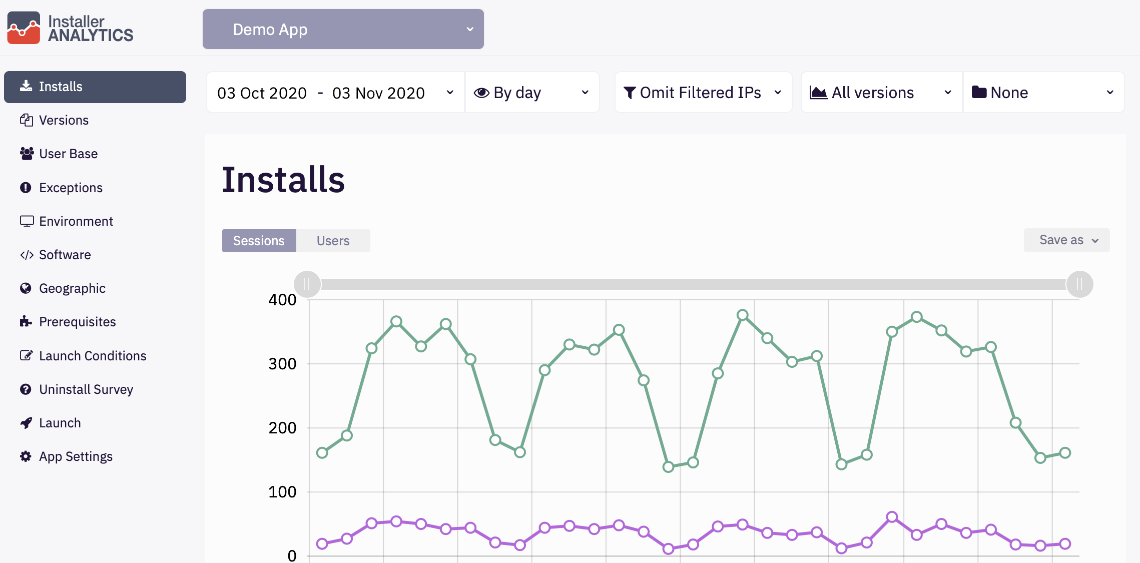
Once Installer Analytics receives the data from your app, you can view how many application launches and how many unique users your application has.
- View data regarding the number of application launches
- View data regarding your application unique users
- Make improvement decisions based on installation data
- Give us feedback on features ideas, your thoughts, or just to say 'hi'
- The SDK approach to connect desktop applications to Installer Analytics covers only the Launch view feature. We aim to release new features and improve existing ones soon